 GGate
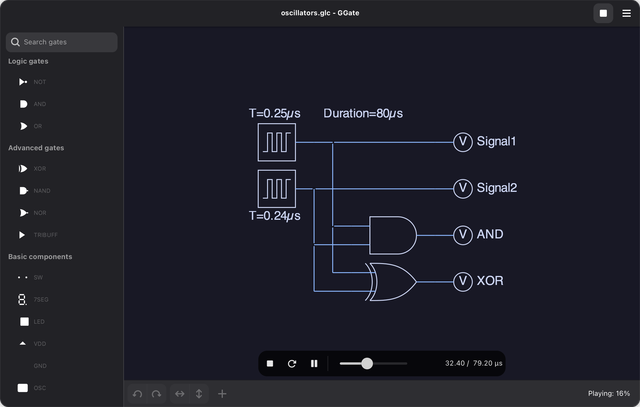
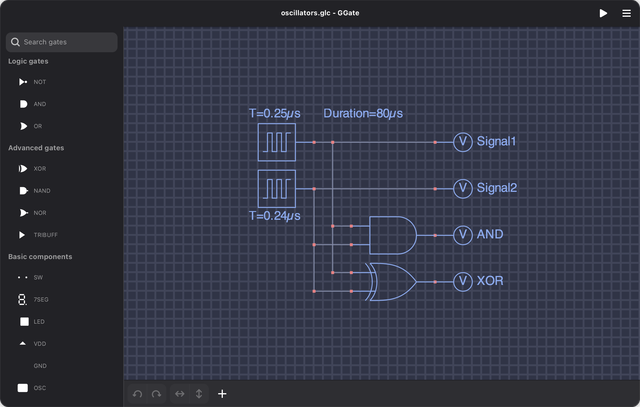
GGateGGate lets you place logic gates on a canvas, wire them up, run the simulation, and watch the circuit change over time. It's written in Python with GTK 4 and Libadwaita, and the canvas is drawn with Cairo (the 2D drawing library GTK uses under the hood).
Where did it come from?
GGate is a fork of GLogic, a logic circuit simulator Koichi Akabe released back in 2012. It started out as a wxWidgets app and moved to GTK+ in its second version.
I picked it up in 2022 and ported it to GTK 4, adding the tri-state buffer and shift registers along the way. Later that year I renamed it to GGate so it could be published. The latest round (v5) moved everything over to Libadwaita, added light and dark themes, and made the simulation play back as an animation.
What can you do in it?
- Use all the standard logic gates, with both IEC and MIL/ANSI symbols.
- Add flip-flops, counters, shift registers, and a tri-state buffer.
- Watch outputs on LEDs and a 7-segment display.
- Drive circuits with switches and a clock oscillator.
- Run the simulation and play it back, with stop, restart, pause, and seek.
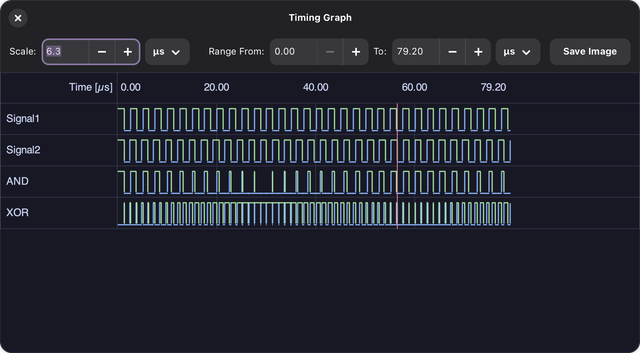
- See how every signal changes over time on a timing diagram.
- Export drawings and timing diagrams as PNG, PDF, PS, or SVG.
- Edit the properties of each component.
- Pick a theme: Classic, Space, Frappé, or Mocha, each in light and dark.
- Open and save circuits as
.glcfiles.
How do I run it?
Packages (Flatpak, Snap, and Deb) are still in the works, so for now you run it
from source. You'll need Python 3.10 or higher, GTK 4.16 or higher, Libadwaita
1.6.8 or higher, and these Python packages: pygobject, pycairo,
python-igraph, shapely, and packaging.
git clone https://github.com/astraldev/GGate
cd GGate
python3 run.py
You can also open a circuit straight away. There are a few examples in
data/examples/:
python3 run.py data/examples/oscillators.glc
Want to help?
Contributions and translations are welcome. Fork the repo, make your changes, and open a pull request, or open an issue if something's broken. GGate is licensed under GPL v3.